R-01
Gate and receiving
Expected deliveries for the day, scan to receive, weight or count, and a damage photo with the driver still present.

Home
About Us
Services
Ready-to-Launch Apps
Brand it. Launch it. Own it.
Video Dating App
Like Dostt — swipe, video & chat
Service Booking App
Like Urban Company — on-demand services
Cab Booking App
Like Ola, Uber & Rapido — ride-hailing
Vehicle Booking App
Like Porter — goods & logistics
Rice Mundy Order Management
Orders, stock & GST billing for mills
Auditing Management System
Digital checklists, NC tracking & reports
Delivery Management App
Live tracking, routes & digital POD
Industries
InstaLaunch Apps
Portfolio
Contact

services
Made to Scale Our Software development services are built to evolve your business idea into a successful growth story.
Stock you can find, count and trust
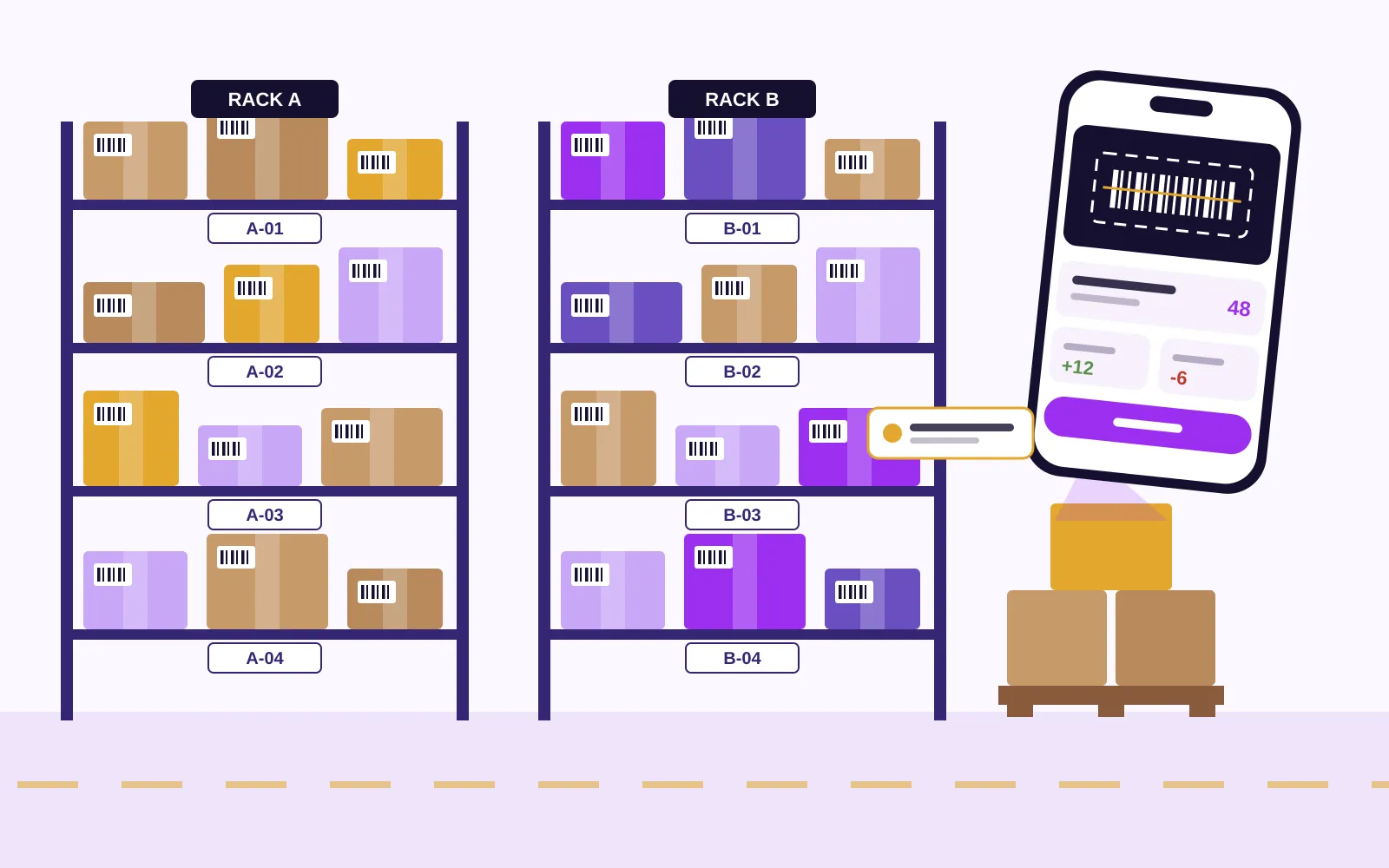
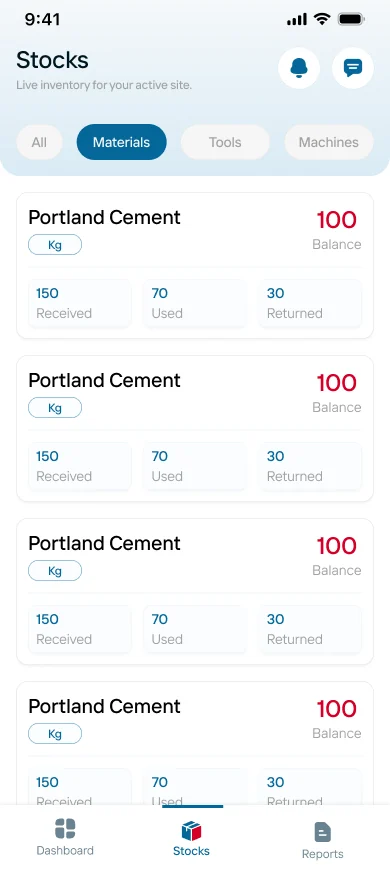
A phone app for the people who receive, shelve, pick and count, and a web panel for the owner who needs the true balance. Built around your item codes and godown layout by our Tiruppur team.
The problem
Every Coimbatore business that holds stock knows this gap. A carton went out without an entry, a return came back and sat in the corner, or two people wrote the same receipt. By the time accounts notices, nobody remembers which day it happened.
Most stock records around Coimbatore still live in three places at once: a bound register at the godown, a spreadsheet on the office computer and the billing software at the counter. Each one is right for the person who keeps it, and none of them agree. Owners end up doing a full physical count before every festival season simply to know where they stand.
Inventory software fixes this only if the entry is made at the moment the goods move, by the person holding them. That person is a loader at the gate, a picker in aisle three or a salesman loading a van at six in the morning. They do not sit at a desk, so the software has to live on their phone, read a barcode with the camera and work in the back of a godown where the signal drops.
Itboomi is a dedicated mobile app development company with its office in Tiruppur, serving Coimbatore. When people ask us for inventory management software, we build the godown side as an Android or iPhone app and the office side as a web panel, both reading one stock ledger. Nothing is typed twice, and every movement carries a name, a time and, where it matters, a photo.
Stock movements
Stock only changes in a handful of ways. We give each one its own short screen, so the person doing it taps through in seconds and the balance updates for everyone.
Scan the supplier's carton or pick the purchase order, enter quantity and batch, photograph damage, and the goods are in.
Suggest a bin from the item's usual location, confirm by scanning the bin label, and the shelf position is recorded.
A pick list sorted by aisle, quantities checked by scan, and short picks flagged before the packet is sealed.
Packed cartons tied to the invoice or delivery note, vehicle number noted, and the stock leaves the books as it leaves the gate.
Customer returns and rejected goods logged with a reason and a photo, then sent back to a bin or to a damaged area.
Cycle counts by rack or by fast movers, with differences shown to a supervisor for approval instead of silently overwritten.
Who holds the phone
One stock ledger, but the app looks different depending on who opens it.
Expected deliveries for the day, scan to receive, weight or count, and a damage photo with the driver still present.
Put-away and pick tasks in walking order, bin scans to confirm, and a simple list of what is waiting.
Live balance per item and per location, so a promise to a customer is based on what is really on the shelf.
Van stock loaded in the morning, sales and returns on the route, and a reconciliation when the van comes back.
Items below their reorder level, last purchase rates kept in the office panel, and a draft order to send to the supplier.
Stock value by category, slow movers, negative balances and count differences, readable on a phone in the evening.
Features
The phone camera reads existing product barcodes, and the app prints its own labels for loose items, bins and cartons.
Every item can sit in one or many bins, so staff walk straight to it and new joiners stop depending on memory.
Track batches for chemicals, food and medicines, expiry dates with first-expiry-first-out picking, and serials for machines and electronics.
Each location keeps its own balance, and transfers between them stay in transit until the receiving side confirms.
Buy in cartons, store in boxes, sell in pieces, with the conversion kept in the item master instead of in someone's head.
Minimum and reorder quantities per item and per location, with a morning list of what needs ordering.
Scans and entries save on the phone in dead corners of the godown and sync with a visible marker when the signal returns.
Every change shows who made it and when, and adjustments need a reason, so a missing carton can be traced to a day and a person.
Related portfolio work
We have not published a dedicated inventory case study. These recent products carry the same records an inventory system is built from: a running balance per item, several locations under one login, and a photo-led catalogue arranged by category.
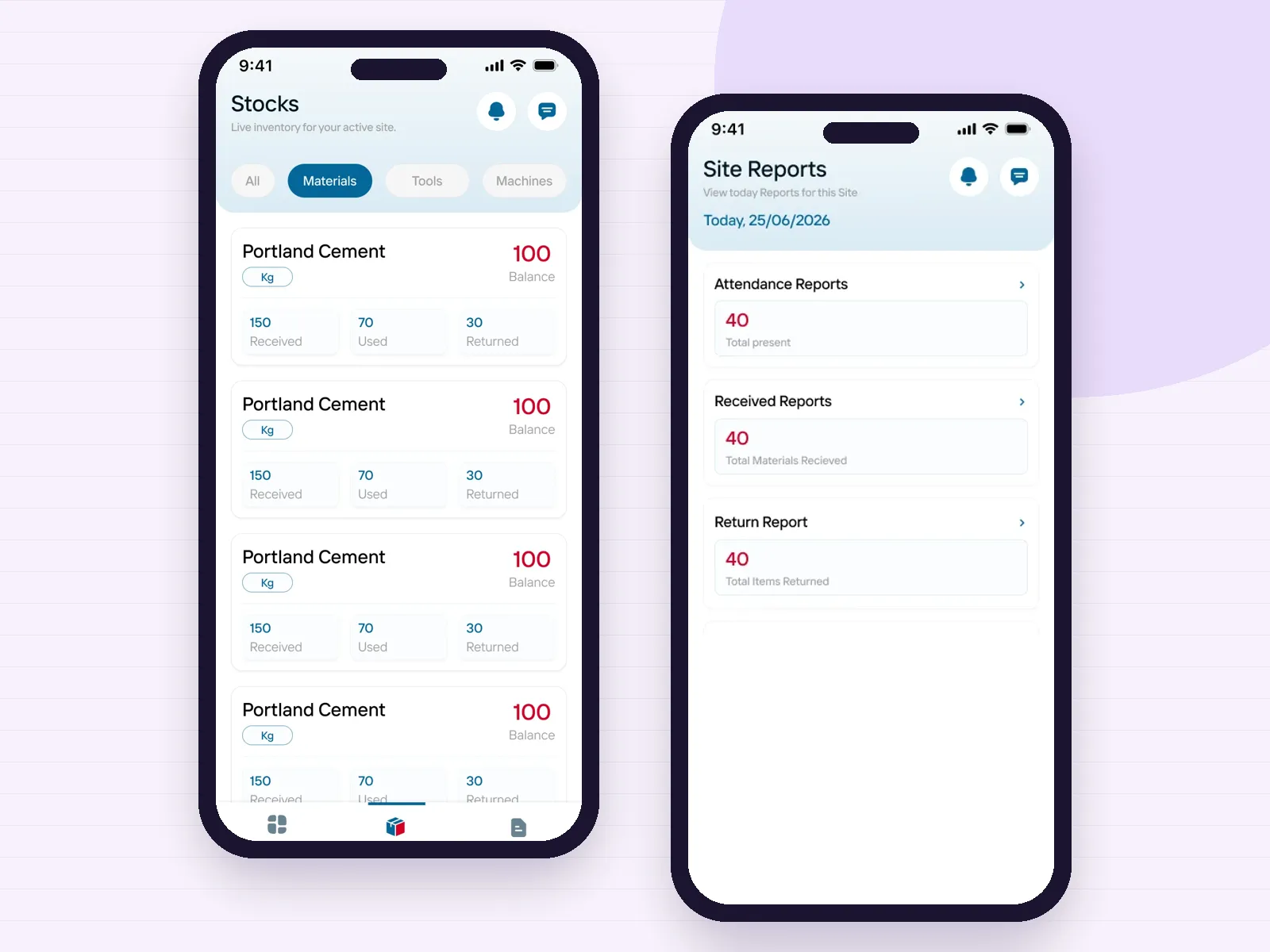
Received, used, returned, balance
Each material, tool and machine shows what came in, what was used, what went back and what is left, with reports per site. A godown ledger works on exactly this arithmetic.
Open the case study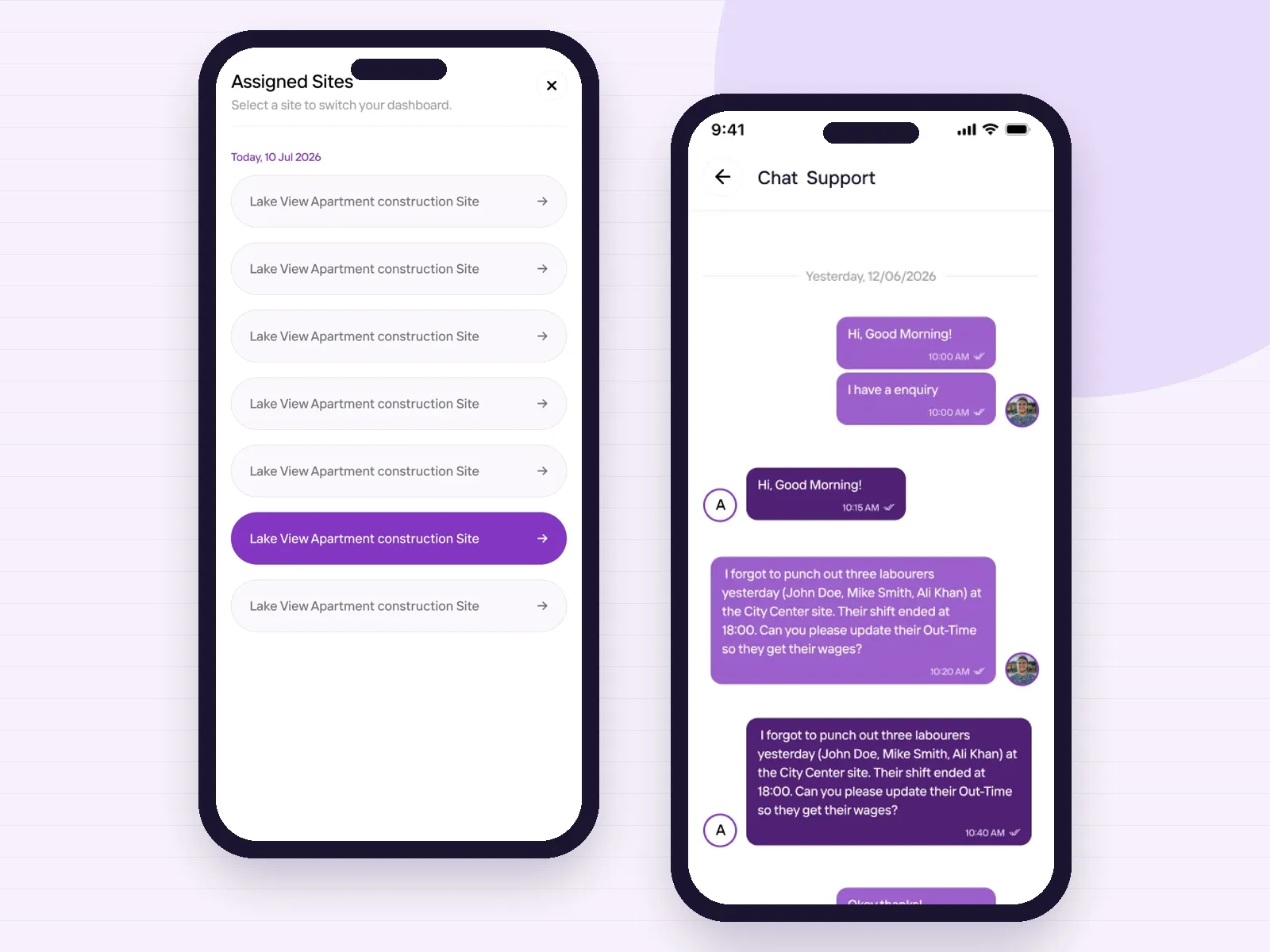
Many locations, one login
Staff switch between assigned locations and the app follows the selected one, with a chat line to the office for questions. A business with a shop, a godown and a second branch needs the same switch.
Open the case study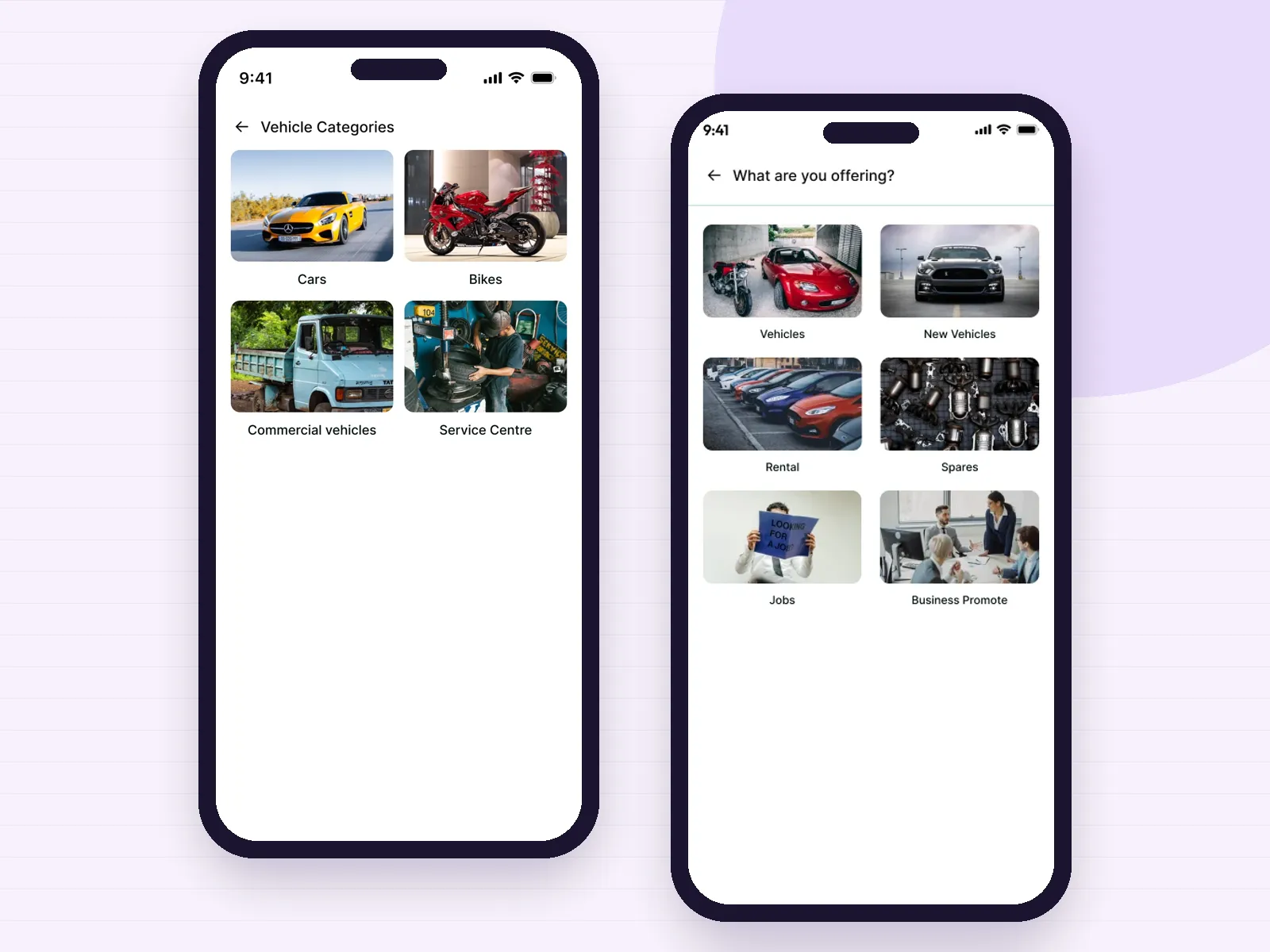
Catalogue by category
Listings are arranged by category with photos, and adding a new one starts from a visual category picker. Spare-parts dealers use the same idea for an item master staff can recognise at a glance.
Open the case studyA photo is enough, plus a rough sketch of your godown. We reply with questions and a written plan for the first release, with scope, schedule and terms to approve.
Aisles we plan for
Thousands of small items, many sizes of the same part and dealers asking for a balance on the phone. Bin locations and barcodes matter most here.
Part numbers, alternates and serials for warranty, with returns and rejections tracked back to the supplier.
Lots, shades, sizes and cones or cartons, from Coimbatore mills to Tiruppur knitting and garment units; our textile app page covers the floor side.
Van loading, route sales, expiry dates and scheme stock for distributors who supply shops across Coimbatore, Erode and Tiruppur.
Batch and expiry control, cold items and reagent consumption by test or department; see our healthcare app page for clinical workflows.
One stock pool behind your website and marketplace listings, with picking and packing on the phone; our e-commerce app page goes further.
How we build it
We follow goods from the gate to the shelf to the vehicle, photograph your registers and note where entries are missed today.
Item names, codes, units and categories are tidied with your team, because a stock app is only as good as the list it counts.
Clickable screens in Tamil or English, tried by the staff who will scan, then simplified until a new joiner can use them.
Bins and loose items are labelled, an opening count is taken, and the app runs beside the old register until the two agree.
Reorder levels are adjusted from real movement, and transfers, van stock or a customer portal are added when you are ready.
Buying guide
Packaged inventory and billing products are a good fit when your stock is simple: a few hundred items, one counter, one godown and staff who work at a computer. Many Coimbatore shops run happily on them, and if that is you, start there.
A custom inventory app earns its place when the way you hold stock is unusual or spread out. Several godowns, van sales, batch and expiry rules, items bought in one unit and sold in another, or staff who will only use a phone in Tamil all push packaged screens past their limits. Custom software is shaped around your item codes, your bins and your approval rules instead of asking your team to adapt.
Most businesses do not want to replace the accounting package their auditor already understands. In that case the inventory app handles the physical side, receiving, bins, picking, transfers and counts, and sends quantities and values to your accounts in an agreed format, or reads sales from it where an interface exists.
If the counter itself needs a rebuild, our billing app development page explains how we handle GST invoices on the phone, and our ERP software development page covers the wider factory picture when purchase, production and quality need to join the same records.
The first count is the foundation, and it is where most stock projects stumble. We plan it with you: which racks are counted on which day, who counts and who checks, how goods that arrive during the count are held aside, and how differences are approved. Once the opening balance is trusted, the daily movements keep it that way.
After launch we suggest short cycle counts instead of one big annual count. Counting a few racks or the fastest-moving items every week keeps errors small, shows where they come from and saves a weekend of closing the shop.
The stock ledger is one of the most valuable records your business holds. The database and cloud account are created in your company's name, the source code and documentation are handed over, and item masters and movements can be exported whenever you need them. Access is set by role, so a picker never sees purchase rates.
Itboomi is a dedicated mobile app development company in Tiruppur, serving Coimbatore. Read about our wider Android and iOS services, see how we approach custom mobile app development, or start from our Coimbatore homepage. Businesses in Erode can also read our Erode page. When you are ready, talk to our team.
Packing list
Yes. Itboomi is a dedicated mobile app development company with its office in Tiruppur, serving Coimbatore. We build custom inventory software as Android and iPhone apps for godown and sales staff, with a web panel for the office, all on one stock ledger.
Yes. The phone camera reads standard product barcodes and QR codes. For high-volume godowns we can also support rugged handheld scanners, and the app can print labels for bins, cartons and loose items on a label printer.
Yes. Each location keeps its own balance and bins, staff see only the locations assigned to them, and transfers stay in transit until the receiving location confirms what arrived.
Yes. Scans and entries are saved on the phone and synced when the connection returns, with a clear marker on anything not yet uploaded, so work does not stop in a dead corner.
Yes. Items can be tracked by batch with expiry dates and first-expiry-first-out picking, or by serial number for machines, electronics and spares that carry a warranty.
In most cases. Quantities and values can be exported in a format your accountant imports, or exchanged through an interface where your software provides one. What moves between the systems is agreed in writing before building starts.
Not quite. This page is about stock itself: receiving, bins, picking, transfers, counts and reorder. An ERP joins stock with purchase, production, quality and people. Many clients start with inventory and add other departments later on the same database.
We have not published a dedicated inventory case study yet. Recent builds such as Hyprotek, Kaarya Site and VW already handle running stock balances, multiple locations under one login and category-led catalogues with photos.
Tell us where stock goes missing today: at the gate, on the shelf, in the van or at the counter. We will plan that movement first and show you screens before anything is built.
Contact us
We Ignite your Business
with our Love
Meet Itboomi, the mobile app developers serving Coimbatore and Tiruppur.




Think. Design. Develop.Launch. Scale.
Subscribe our News letter


itboomi innovations, 8/1162, Sakthi Complex,First Floor, Pooluvapatti Pirivu, P.N Road, Tiruppur,Tamil Nadu 641602