01
Front office
Registration, appointments, OP tokens, visitor passes and enquiry handling.

Home
About Us
Services
Ready-to-Launch Apps
Brand it. Launch it. Own it.
Video Dating App
Like Dostt — swipe, video & chat
Service Booking App
Like Urban Company — on-demand services
Cab Booking App
Like Ola, Uber & Rapido — ride-hailing
Vehicle Booking App
Like Porter — goods & logistics
Rice Mundy Order Management
Orders, stock & GST billing for mills
Auditing Management System
Digital checklists, NC tracking & reports
Delivery Management App
Live tracking, routes & digital POD
Industries
InstaLaunch Apps
Portfolio
Contact

services
Made to Scale Our Software development services are built to evolve your business idea into a successful growth story.
For hospitals, nursing homes, day-care and diagnostic centres
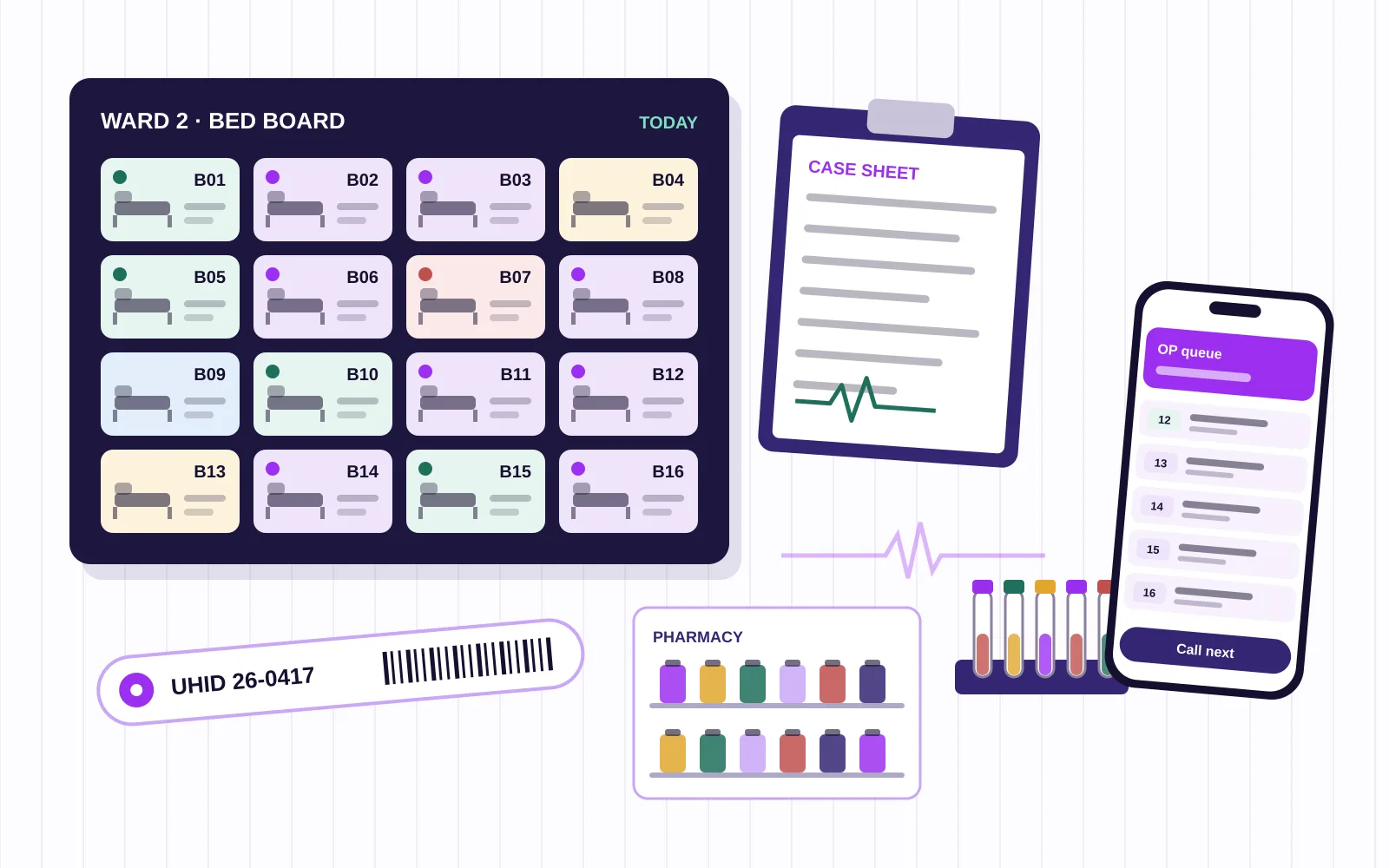
Registration, OP and IP, a live bed board, pharmacy, lab, billing with insurance paperwork and discharge summaries in one system, with a nursing app and an owner dashboard, built by our team in Tiruppur.
What it replaces
In many hospitals the same patient is written down five times a day: at the front office, in the doctor's OP book, at the lab counter, at the pharmacy and finally at billing. Each copy drifts a little, and the final bill is where the gaps show.
Hospital management software gives every patient one hospital number, often called a UHID, at the first visit. After that, every department works on the same record. The doctor's orders reach the lab and the pharmacy without a paper slip, results come back to the doctor's screen, and each service posts to the bill the moment it is delivered.
Coimbatore has a wide spread of care providers: large multi-speciality hospitals, family-run nursing homes, maternity and eye hospitals, dialysis and day-care units, and diagnostic centres. They do not all need the same system. A thirty-bed nursing home wants speed at the front desk and an accurate discharge bill; a diagnostic centre cares most about sample tracking and report delivery. We build the parts you need, in the order that pays off first.
Patient journey
Every step below is a screen in the system, and each one writes to the same patient record.
Name, age, phone, address and an ID proof photo, with the hospital number generated once and printed on a card or wristband. Returning patients are found by phone number in seconds.
Tokens per doctor, a waiting list the front desk can reorder, and a doctor desk with vitals, complaints, diagnosis, prescription and orders for tests.
Orders arrive with the patient number, samples get barcodes, results are entered or imported from analysers where they support it, and reports are approved before release.
Bed allotment from the live bed board, the admitting doctor, the attender's details, consent forms and any insurance or scheme details captured at the start of the stay.
Nursing notes, medication rounds, vitals charts and doctor visits recorded on a tablet or phone at the bedside, with indents to the pharmacy raised from the same screen.
Surgery scheduling by theatre and surgeon, pre-operative checklists, consumables used, and the notes that later flow into the discharge summary.
A discharge summary drafted from the stay, a final bill that already carries every service and medicine, and the insurance file assembled from documents collected along the way.
Modules
Most hospitals begin with three or four of these and add the rest once staff are comfortable.
Registration, appointments, OP tokens, visitor passes and enquiry handling.
Case history, prescriptions with your formulary, test orders and follow-up dates.
Admissions, transfers, bed status by ward and a discharge-due list each morning.
Medication rounds, vitals, notes and handovers on a phone or tablet.
OP and IP sales, batch and expiry tracking, indents from wards and reorder alerts.
Sample barcodes, worklists, result entry, approval and report delivery by SMS or WhatsApp link.
Orders, scheduling and report upload, with images left in your existing imaging system.
Service-wise posting, advances, packages, TPA and scheme paperwork and the final bill.
Theatre calendar, surgeon and anaesthetist assignment and consumables issued.
Purchase orders, goods received, department issues and stock across stores.
Daily census, OP counts, collections, pending bills and department summaries on the phone.
Common problems
Each one has a clear fix inside the system. None of them needs a bigger team.
Services delivered in the ward never reach the final bill.
Every order, procedure and medicine posts to the patient's bill when it is delivered, not when someone remembers to write it down.
The front office cannot tell which beds are really free.
A live bed board shows vacant, occupied, cleaning, reserved and discharge-due beds, updated by the ward and housekeeping.
Insurance files go back for missing documents.
The insurance desk keeps a document checklist per patient from admission, so papers are collected during the stay rather than on the last day.
Pharmacy stock and expiry are counted by hand.
Batch and expiry dates are captured at goods receipt, sales reduce stock automatically, and near-expiry items show up each week.
Lab reports are chased over the phone.
Approved reports go to the doctor's screen and to the patient by SMS or a WhatsApp link, with a log of who opened them.
The owner only sees the numbers at month end.
Census, OP counts, collections and pending bills reach the owner's phone every evening.
With patient details covered, a photo of one register page or one bill tells us more than a long brief. We reply with questions and a first sketch of the screens.
Who uses it
Access is set by role, so a billing clerk never opens clinical notes and a nurse never edits a bill.
Honest proof
We have not listed a hospital project on our portfolio, and we would rather say that up front. These recent apps were built for other industries. They are shown because a hospital system is made of the same pieces: stock that moves in and out, staff attendance, slot booking, and one login across several sites.
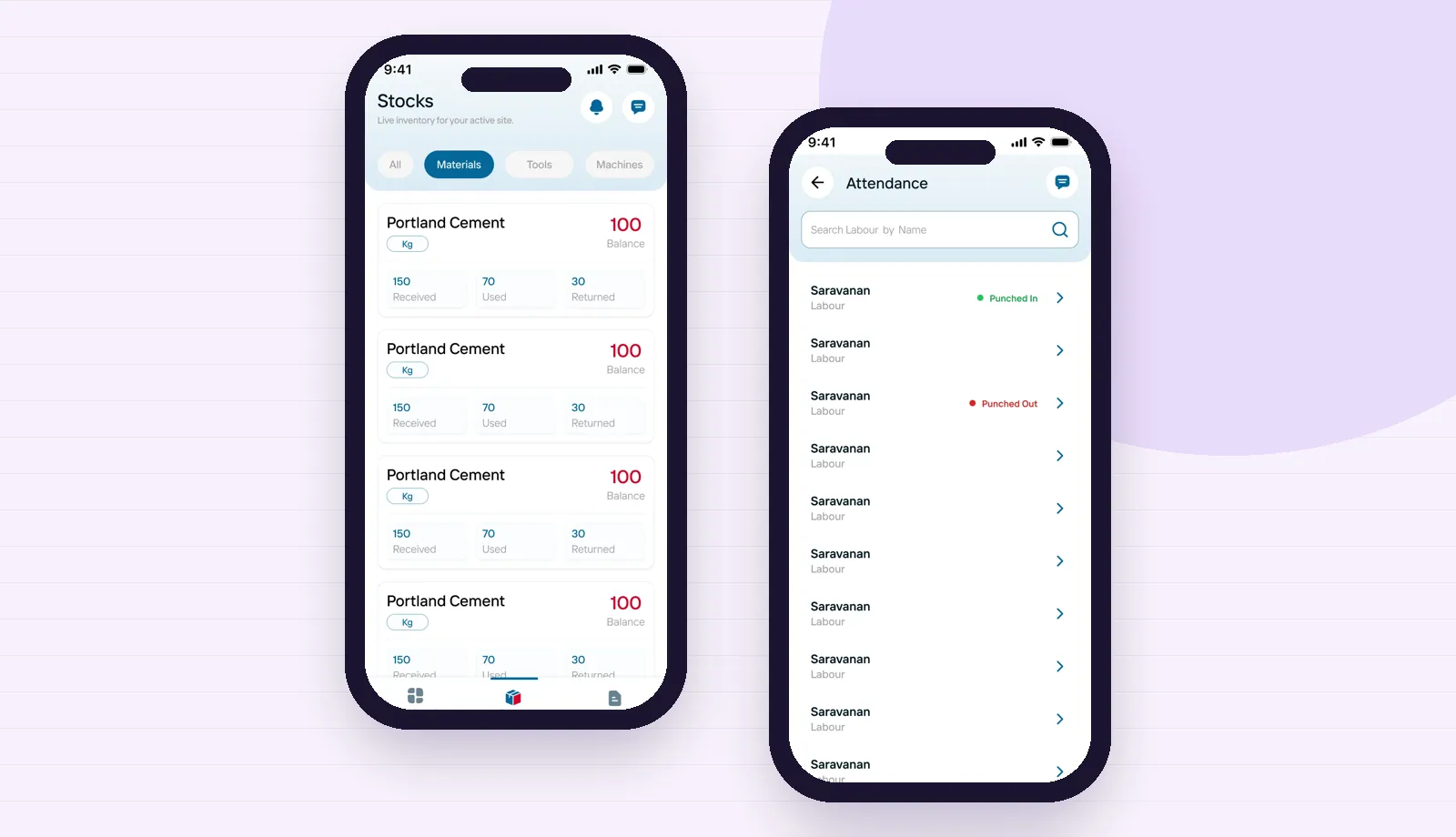
Material received, used and returned, plus staff punch-in with photos. The same logic runs a pharmacy store and nursing duty attendance.
See how Hyprotek works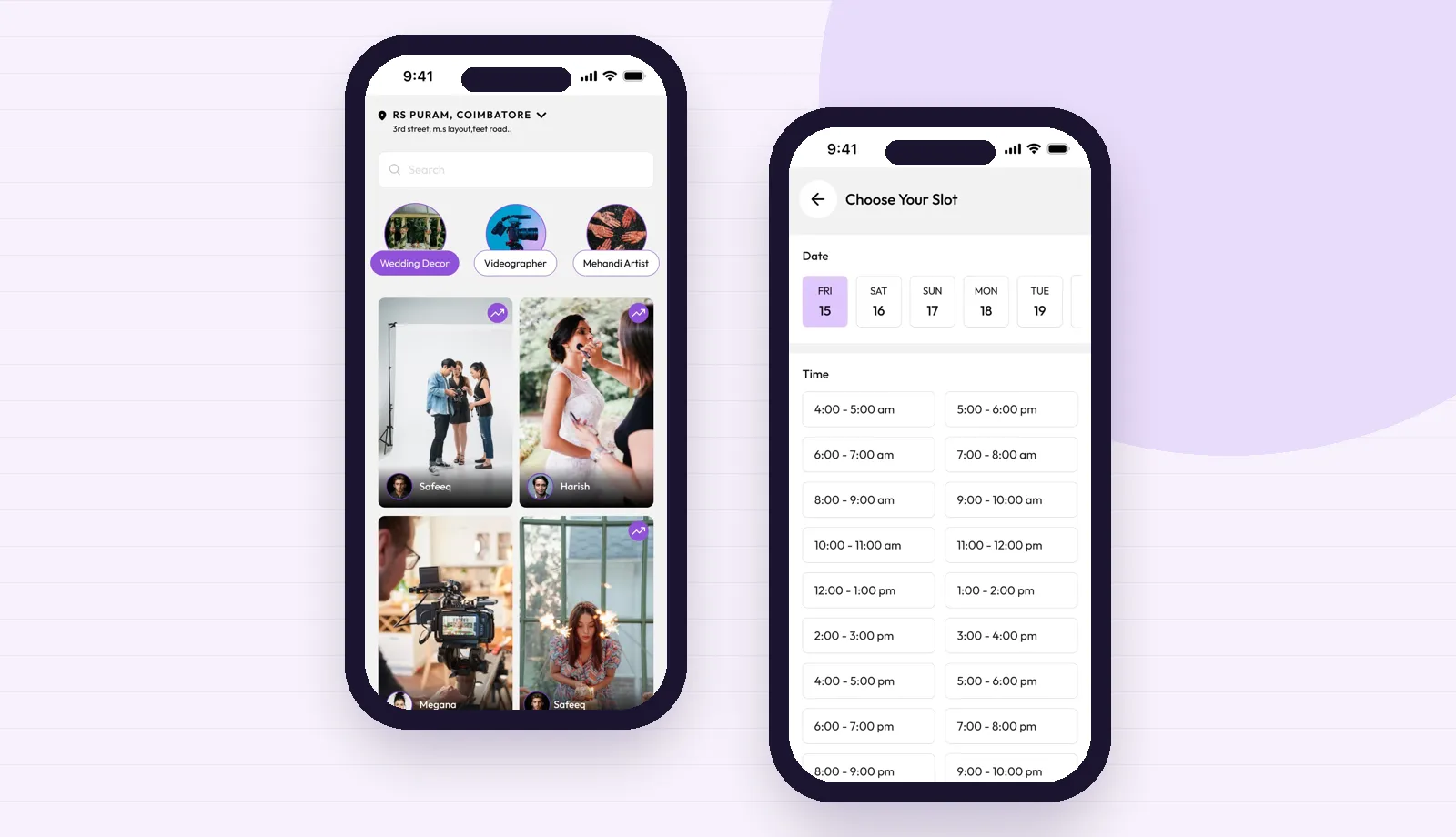
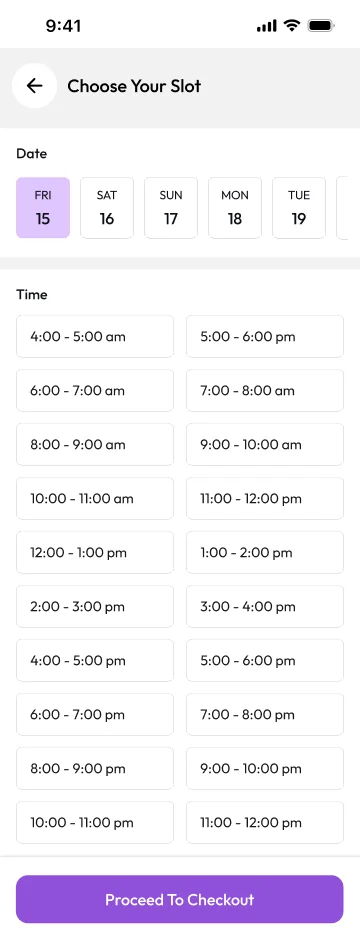
Customers pick a day and a time slot from live availability. Doctor appointments and scan bookings follow the same pattern.
See how Ggloty works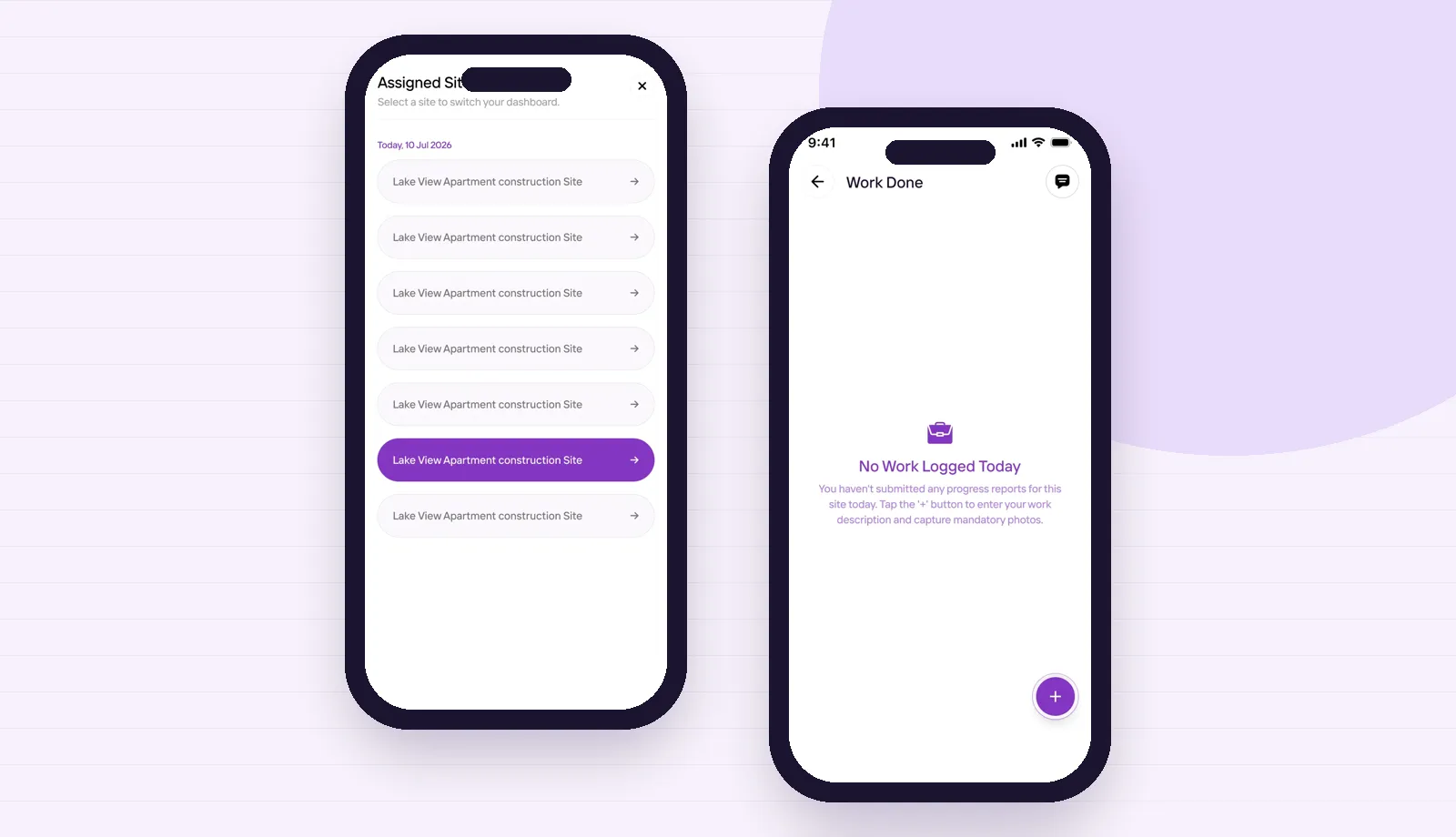
Supervisors switch between sites and log finished work with photos. A group with a main hospital and satellite clinics needs the same switch.
See how Kaarya Site worksInsurance, ABDM and data
Cashless claims depend on documents: the pre-authorisation request, ID and policy copies, investigation reports, the discharge summary and an itemised bill. The insurance desk screen keeps a checklist for each patient and flags what is still missing. Where your hospital is empanelled under the Chief Minister's Comprehensive Health Insurance Scheme, the same checklist approach helps staff keep scheme paperwork complete. Claims are still submitted through each insurer's or scheme's own portal.
The Ayushman Bharat Digital Mission gives patients an ABHA number and lets approved hospital software share health records with the patient's consent. If your hospital wants this, we plan for it from the start: ABHA capture at registration, record formats that can be mapped, and time for the integration and approval steps the mission requires. We do not promise approval dates, because those depend on the mission's own process.
India's Digital Personal Data Protection Act, 2023 expects personal data to be collected for a stated purpose, with consent, and protected. In practice that means role-based access, audit logs of who opened which record, encrypted backups, and consent screens written in plain Tamil and English. The database and backups belong to your hospital, and you can export them whenever you choose.
Buying guide
If your hospital runs a standard OP and IP flow, your staff are used to a particular product, and you are happy to adapt your process to its screens, a packaged hospital management system can be the quickest route. Check that it is supported locally, that you can export your data, and that its billing rules match how your hospital charges for packages and procedures.
A system built for you makes sense when your workflow is unusual or when the packaged tools fight your staff: a nursing home that bills mostly by package, a group that shares doctors across branches, a diagnostic centre with home collection, or a hospital that wants a patient app and a nursing app that match its own process. It also suits owners who want the source code and data in their own name with no per-user licence.
Custom does not have to mean everything at once. Most hospitals we speak with start with registration, OP, billing and pharmacy, then add IP, lab and the insurance desk in later releases. Our custom software page explains how we scope this kind of phased build.
Ask who owns the data and how you would export it. Ask how the system behaves when the internet drops in the middle of OP hours, and whether billing can continue offline. Ask to see role permissions, audit logs and backup restores working, not just described. Ask how rate changes, new packages and new doctors are added without calling the vendor. And ask for a written plan for the first release, with what is included and what is not, before you sign.
How we work
We spend time at the front office, a ward, the pharmacy, the lab and billing, and photograph the registers and forms each department uses.
A written plan names the departments, screens, roles and reports in the first release, and what waits for later.
Each week ends with a recorded demo and a test build your staff can try. Feedback goes into a shared list both sides can see.
For a short period paper and software run side by side in one department, so staff gain confidence before the registers are retired.
Department by department, with our developers reachable on WhatsApp and a clear way to log issues and change requests.
Questions
It is a system that keeps every patient's visit, admission, tests, medicines and bills on one record, used by the front office, doctors, nurses, pharmacy, lab, billing and management, each with their own screens.
Yes. The healthcare app page covers patient-facing apps such as clinic booking, reminders and telemedicine. This page covers the hospital's own system for registration, wards, pharmacy, lab and billing. The two can share one database.
Yes. A nursing home can start with registration, OP, IP billing and pharmacy, and add the lab, nursing app or insurance desk later. The first release is sized to the hospital, not to a product brochure.
The system can be planned so that the front office and billing keep working on the local network during an internet outage and sync once the connection is back. We confirm the setup for your building during planning.
Many analysers can send results to software through their own interface. We check the make and model of each machine during planning and confirm which ones can be connected before the scope is fixed.
The insurance desk keeps a document checklist per patient and assembles the file for each claim. Claims are still submitted through the insurer's or scheme's own portal, and we make no promise about claim approval.
Your hospital does. The database, backups and source code are registered to your organisation, and you can export your data at any time.
Our office is in Tiruppur and we serve hospitals in Coimbatore. We visit for the walk-through, for training and whenever a problem is easier to understand on the ward.
Share the number of beds, the departments you run and a photo of one register page through our contact page. We reply with questions, then a written release-one plan, and development starts once you approve it.
Patient-facing apps for clinics, such as appointment booking and reminders, are covered on our healthcare app development page, and video consultations on the telemedicine page. Itboomi works from Tiruppur and serves hospitals in Coimbatore and across Tamil Nadu, with visits when a walk through the wards will settle a question faster than a call.
Tell us how many beds you run, which departments you have and which register causes the most trouble. You get a written release-one plan before any development starts.
Contact us
We Ignite your Business
with our Love
Meet Itboomi, the mobile app developers serving Coimbatore and Tiruppur.

Think. Design. Develop.Launch. Scale.
Subscribe our News letter


itboomi innovations, 8/1162, Sakthi Complex,First Floor, Pooluvapatti Pirivu, P.N Road, Tiruppur,Tamil Nadu 641602